New1.4 is out: a cleaner Change Username screen

Your username is half your password.

Rename any user in place, then hide every login name from bots. Free.

$ wp plugin install smartusername --activate
Users / Change UsernameLive demo
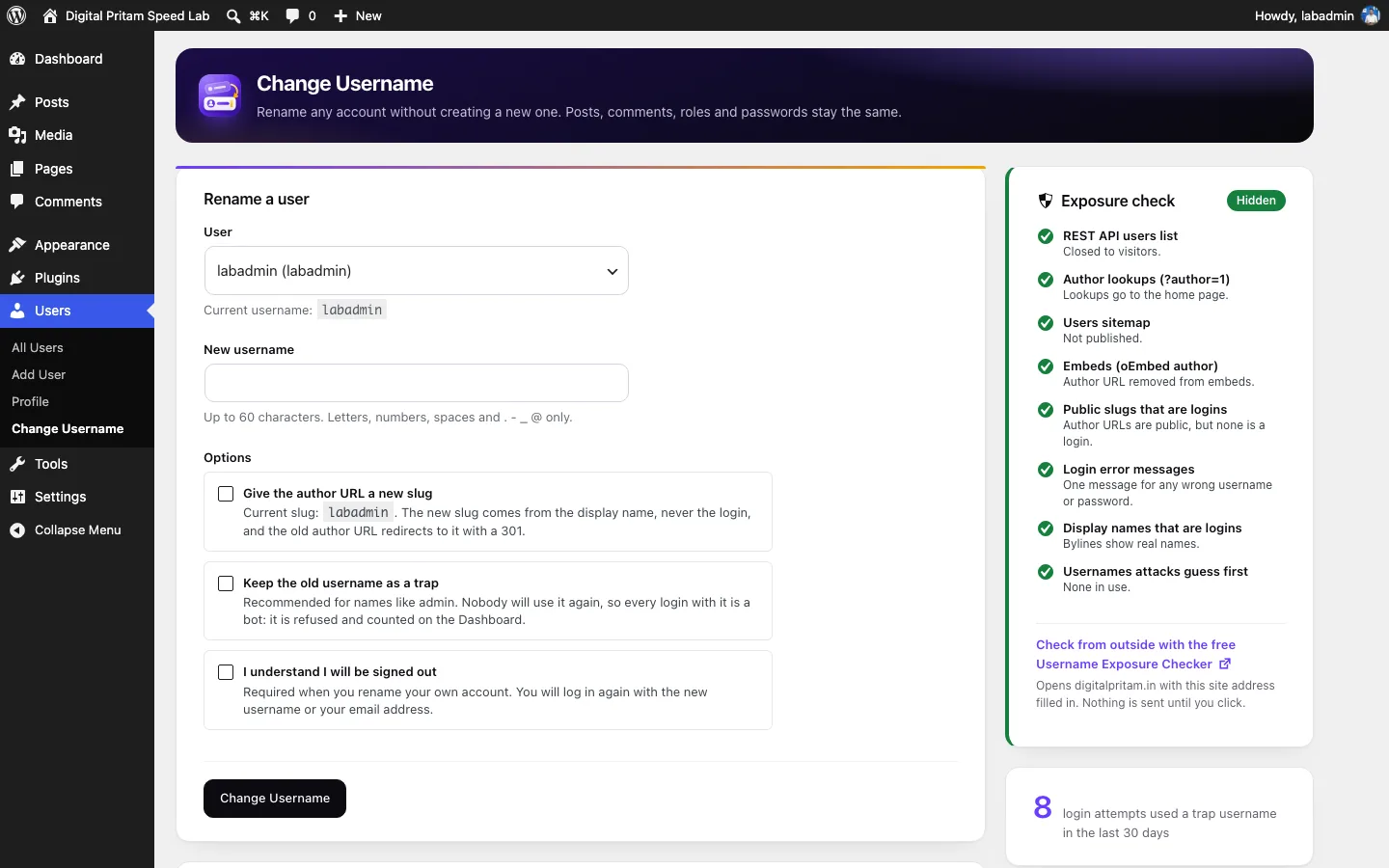
Rename a user
User
Site Owner (admin)
Not available
  • 1 to 60 characters
  • Letters, numbers, spaces and . - _ @
  • Not a name bots guess first
  • Not taken by another account
Try
Username changed.
What stays the same
  • User ID1
  • Posts and commentsKept
  • Role and passwordKept
  • Email loginWorks
  • Author URL/author/admin/
  • Old usernameIn use
Free on WordPress.org Plugin Check clean Zero tracking GPL licensed Multisite ready
The leak

Six open doors. One switch.

Bots read your login name from six places on a default install. Close every one, without breaking the editor.

See what your site shows
Default WordPress
  • /wp-json/wp/v2/usersExposedHidden
  • /?author=1ExposedHidden
  • /wp-sitemap-users-1.xmlExposedHidden
  • oEmbed author dataExposedHidden
  • /author/admin/ExposedHidden
  • Login error messagesExposedHidden
VerdictExposed in 6 places
60characters max, the same rule as core
6leaks closed with a single switch
301redirect for every old author URL
0bytes of your data sent anywhere
Everything included

The username toolkit WordPress forgot.

Rename in place

New name, same account. Posts, roles and passwords never move.

PostsCommentsRolePasswordUser meta

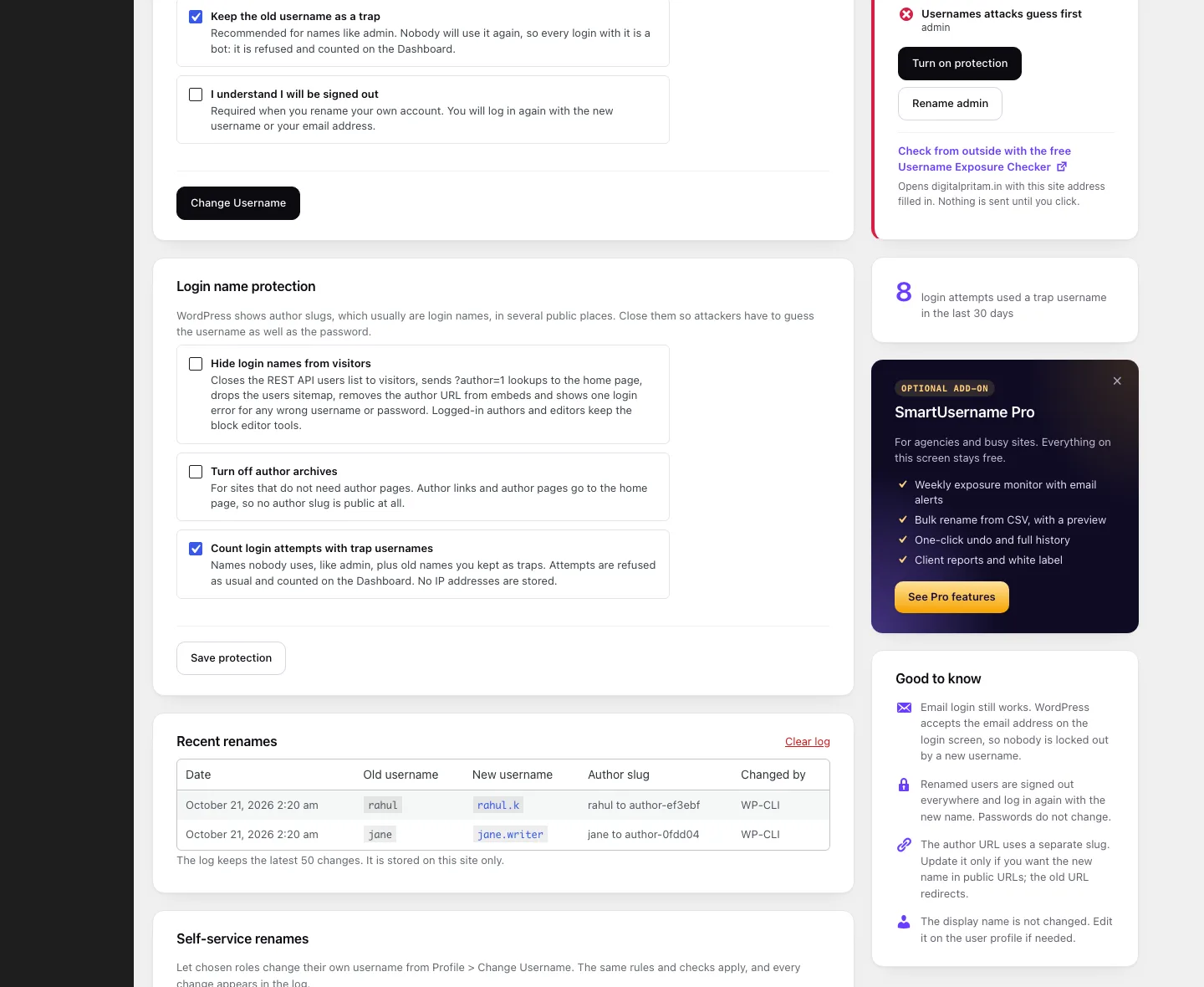
Exposure check

See every leak. Fix each one in a click.

Login name protection

Invisible to visitors. The editor keeps working.

New

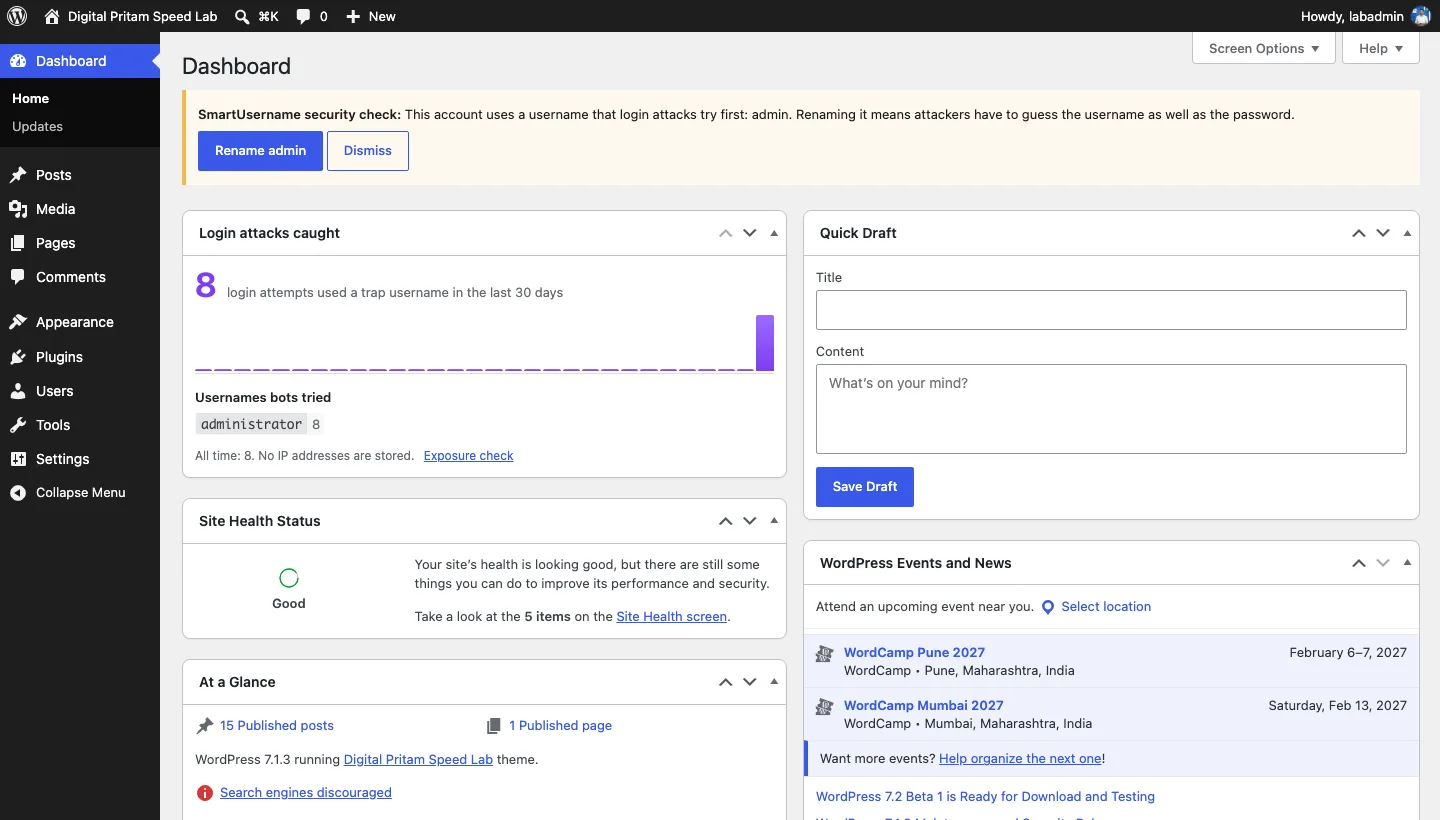
Trap usernames

Turn admin into bait. Every attempt is caught.

Safe author URLs

Slugs from display names. Old links 301.

WP-CLI

Rename at scale, straight from the terminal.
Also included

  • Risky username alert
  • Email the user
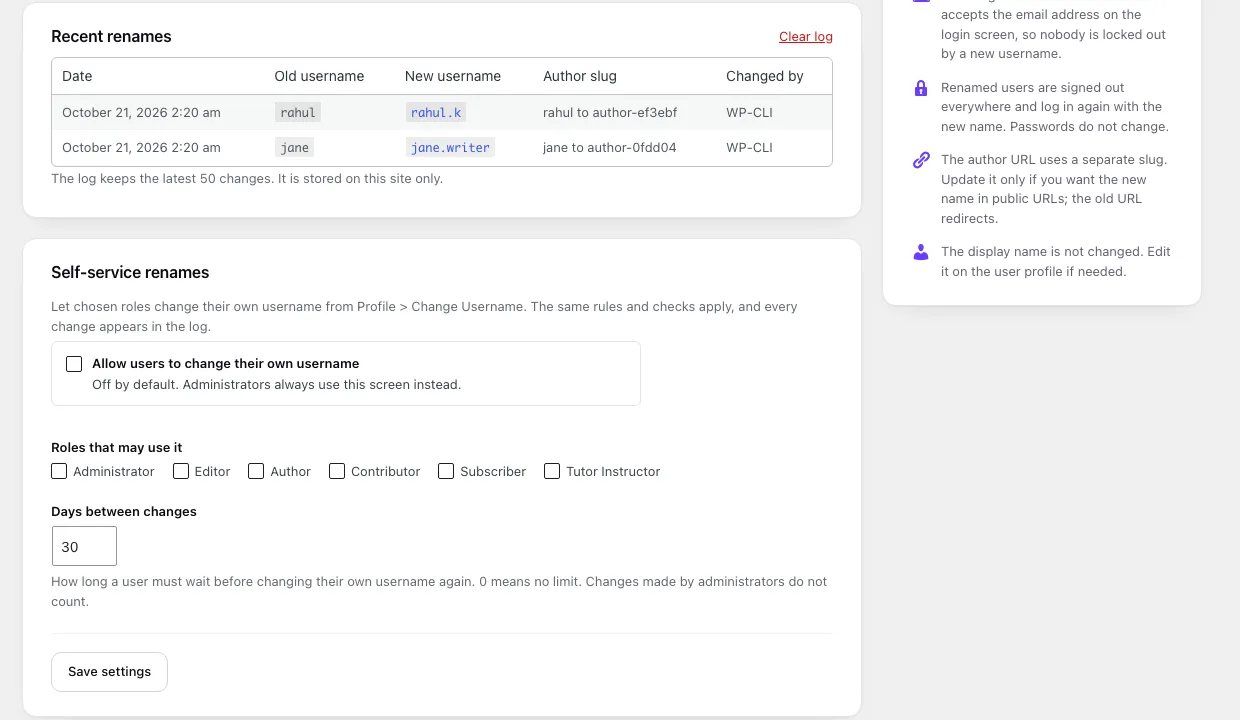
  • Self-service renames
  • Rename log
  • Safe sign-out
  • Multisite
Inside the plugin

Native to WordPress. Nothing to learn.

SmartUsername: Rename a user with the live check and the exposure check
Developers

Ship it from the terminal.

Core validation, four hooks, zero surprises.

smartusername_username_changedAfter a rename
smartusername_notification_emailUser email
smartusername_risky_usernamesRisky list
smartusername_log_limitLog size
Read the reference
# Check first. Changes nothing.
$ wp smartusername check admin site-owner
Success: site-owner is available.

# Rename, new author URL, email the user
$ wp smartusername rename admin site-owner --slug --notify
Success: Username changed from admin to site-owner.

# Where do login names leak?
$ wp smartusername exposure

Pritam Sonone
Built by Pritam SononeCreator and growth strategist since 2016. WordCamp Kolhapur 2026 organizer.
About
Your data stays homeNothing leaves your server.
Locked downCapability checks and nonces everywhere.
WordPress.org approvedReviewed, listed, GPL.
Leaves no traceUninstall removes every byte.
Early access

SmartUsername Pro

For agencies running dozens of sites. The free plugin stays free, forever.

One email when Pro opens. No newsletter, no sharing, unsubscribe any time.

  • Weekly exposure monitor
  • Bulk rename from CSV
  • One-click undo
  • Full history and export
  • Trap lockouts
  • Client attack reports
  • Multisite network view
  • White label
FAQ

Straight answers.

Can WordPress change a username on its own?

No. The Username field is read-only once an account exists. SmartUsername renames it in place.

Do posts and comments stay with the user?

Yes. They are tied to the user ID, which never changes.

Can the user still log in with their email?

Yes. Email login is untouched. Renamed users simply sign in again.

Does the author URL change?

Only if you choose. The new slug uses the display name, and the old URL redirects with a 301.

Will hiding login names break the editor?

No. Visitors lose access to the users list. Logged-in authors keep it.

Is it really free?

Yes. GPL, no locked features, no tracking. Pro will be a separate add-on.

Rename admin before a bot
guesses it.

Free. Under a minute. No account needed.